
I keep coming back to how much of planning happens between the drawings. Someone questions an entrance in a meeting. Someone else checks the room numbers in a spreadsheet. We move a department, sketch another option and discover that the brief needs another look. This is already a collective, iterative process. I wonder how much better it could work if more of it happened in one place.
That is where PLANNR began. I wanted to explore a canvas where we could put the design, its assumptions and the conversation around it together. A place where moving something could do more than change a picture: it could help us test what follows from that decision.
Three ways of working I wanted to bring together
Grasshopper is one starting point. What interests me is the ability to describe a relationship and keep working on it. Change a dimension or a rule, and the geometry responds. You can try something, see why it doesn't work and adjust it without rebuilding everything from scratch.
That feels close to the way we already plan. An entrance moves, so the circulation changes. The circulation takes more space, so the room count changes. We go back to the brief and ask whether the original requirement still makes sense. The useful part of computation is being able to follow those connections while the discussion is still happening.
Miro offers another part of the picture. A shared board can hold references, sketches, questions and unfinished ideas at the same time. Several people can contribute without turning everything into a polished presentation first. You can step back and see how the pieces fit together, then zoom in on the detail that needs attention.
I also like that an earlier option can stay beside the current one. It gives us a way to explain why we moved on. A rejected sketch might still contain something useful, or remind us of a problem we are about to repeat.
Then there are generative AI tools. They can help make sense of a brief, structure a narrative or suggest another approach. But much of that work still happens in individual conversations. One person has a useful exchange with an assistant, and the rest of the team only sees the final answer.
I'd like to explore what happens when that context is shared. Could an agent work with the same brief, boundaries and questions that everyone else is looking at? Could its suggestions appear on the board where people can question and change them? That is an ambition for the project, rather than something I can assume will work just by putting AI into an interface.
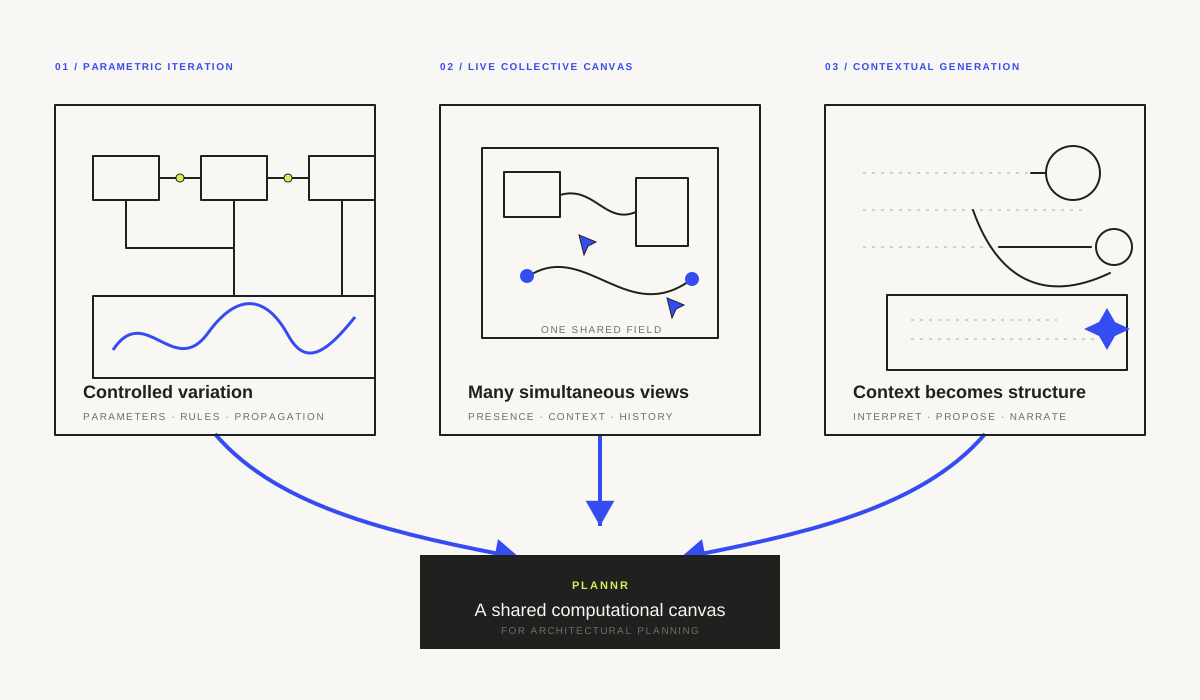
The attraction is the combination. A shared board gives people somewhere to work together. Parameters let us test changes. Generative tools could help us interpret what we have and consider what we might be missing. PLANNR is my attempt to find out whether those habits can fit into one useful workflow.
Keeping the discussion open
A room count is helpful, but it doesn't tell us whether a department will work well for the people using it. A clinician might be looking at the sequence of care. An operator might be thinking about staffing. An architect might be trying to preserve daylight or allow for future change. I want those different readings to remain part of the discussion.
That means showing enough of the workings. If a generated option uses a particular corridor width, we should be able to see and question it. If an option scores better, we need to know what was measured. Otherwise, a convincing image and a precise-looking number can close down a conversation too early.
There is also a limit to how many options a team can usefully consider. Producing fifty layouts is easy to imagine; understanding the meaningful differences between them is harder. I'd rather start with a few alternatives that help us ask better questions than fill the canvas with variations nobody has time to read.
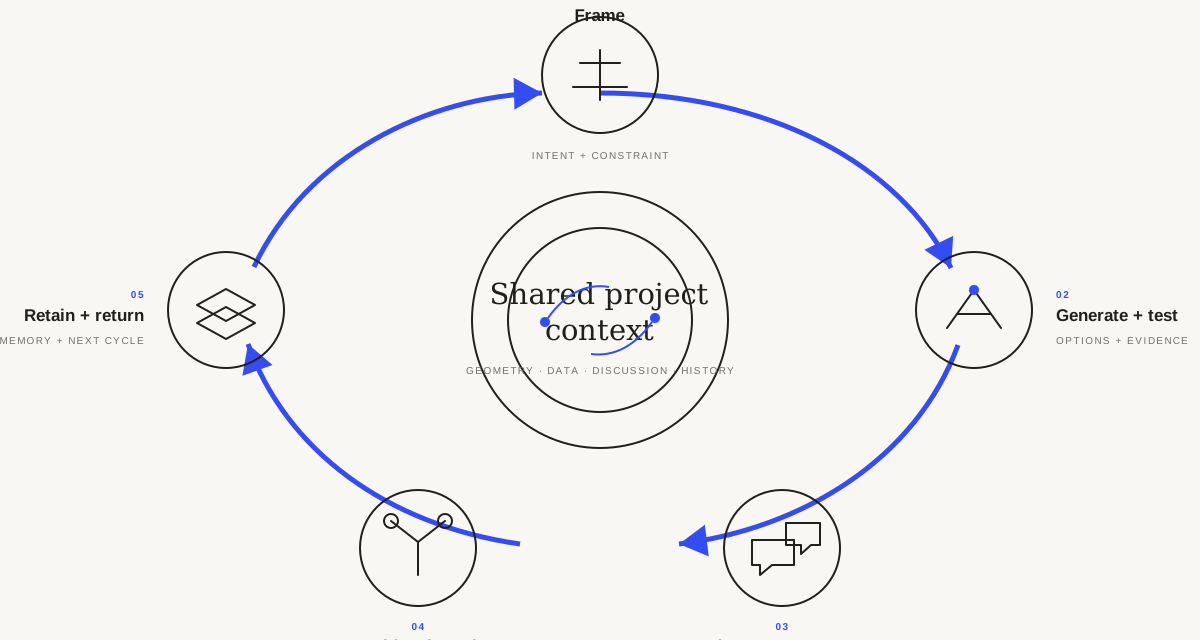
The loop I have in mind is familiar: frame the problem, try something, test it, discuss it and keep enough of the reasoning to inform the next attempt. The canvas should make that loop easier to follow. It should also leave room for someone to say that we are testing the wrong thing.
What would we actually draw?
The first useful object could be a simple scaled boundary. Depending on the task, it might represent a site, a department or a room. We could draw it quickly, then add information when we need it: a name, an area target, room requirements or an entrance.
This is what I mean by a boundary object. People can point to the same shape while bringing different knowledge to it. The computational tools would also have something specific to work with. A department would have dimensions and requirements, rather than being a polygon whose meaning only exists in someone's head.
Connections would matter as much as shapes. We need to show where people enter, which departments should be close and which activities need separation. Those relationships should be easy to move and reconsider. I don't want setting up the model to become more laborious than exploring the plan.
A first workflow could be modest: import an outline, check its scale, attach a few requirements and place an entrance. Generate an option, compare it with another and leave a note about what needs changing. That would be enough to test whether the canvas helps the planning conversation.
Sketching the interface
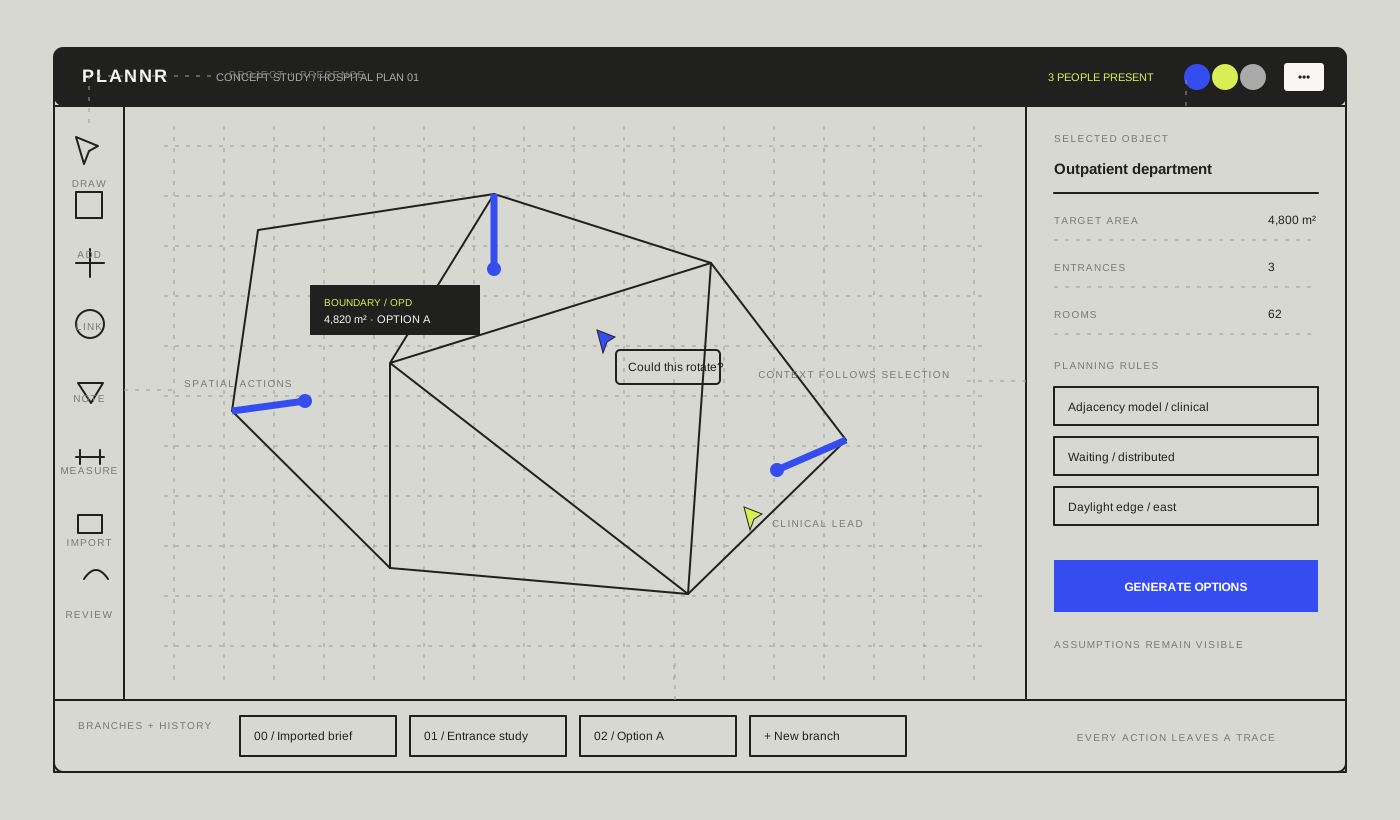
The early sketch keeps most of the screen for the work itself. Drawing tools sit on the left. Project and view controls sit above. The right-hand panel changes with the selected object, so a department can show its area and requirements while a connection shows a different set of controls.
Along the bottom, I imagined a place for options and earlier states. We could return to a version, compare it with the current one and understand what changed. That is a sketch of how the tool might work, not a promise that every part belongs in the first build.
Comments should sit close to the things they concern. A question about an entrance belongs beside that entrance. A concern about room numbers belongs near the relevant option. I want to avoid a separate conversation that gradually loses its connection to the drawing.
Imagine starting with a department boundary and two possible entrances. One person suggests where the public should arrive; another questions the staff route. We test both arrangements and see what happens to the rooms and waiting area. The useful outcome might be a preferred option, or a clearer understanding of why neither works yet.
There are plenty of things the sketch can't answer. Will the extra data feel useful or cumbersome? Can people understand the connections at a glance? How much can we put around the canvas before it gets in the way? Those are questions for a prototype.
For now, I want to begin with drawing at scale, giving shapes meaning and making their relationships visible. Generation, comparison and a better record of decisions can grow from there. The bigger idea is to help a team keep thinking together as the design changes, without repeatedly having to reconstruct the whole conversation.