
I can generate a plan with more consultation rooms. I can also fill a waiting area with more seats. But neither number, on its own, tells me whether I would choose that plan.
That question has become more useful as PLANNR has developed. Earlier tests were about getting a workable arrangement into a boundary. Now I want to understand the differences between arrangements: what we gain, what becomes awkward, and what we might be overlooking when an option looks efficient at first glance.
The outpatient department is still the test bed. It gives us a manageable set of relationships to work with: entrances, waiting, consultation rooms and the routes between them. The aim is to make those relationships easier to test and discuss together, with computation doing enough of the repetitive work that we can spend more time on the choices.
Give the waiting area room to change
One of the first variables was the waiting footprint itself. A rectangle is an obvious starting point, but an L-shaped arrangement can sit alongside different room banks or respond differently to two entrances. Neither is automatically the better shape. The useful question is what each one allows the rest of the department to do.
We added a separate shape seed to explore variations in proportion and configuration. A rectangle can become longer or squarer; an L can change the balance of its arms. This gives us alternatives within a chosen approach, rather than asking us to settle on the first version the generator produces.
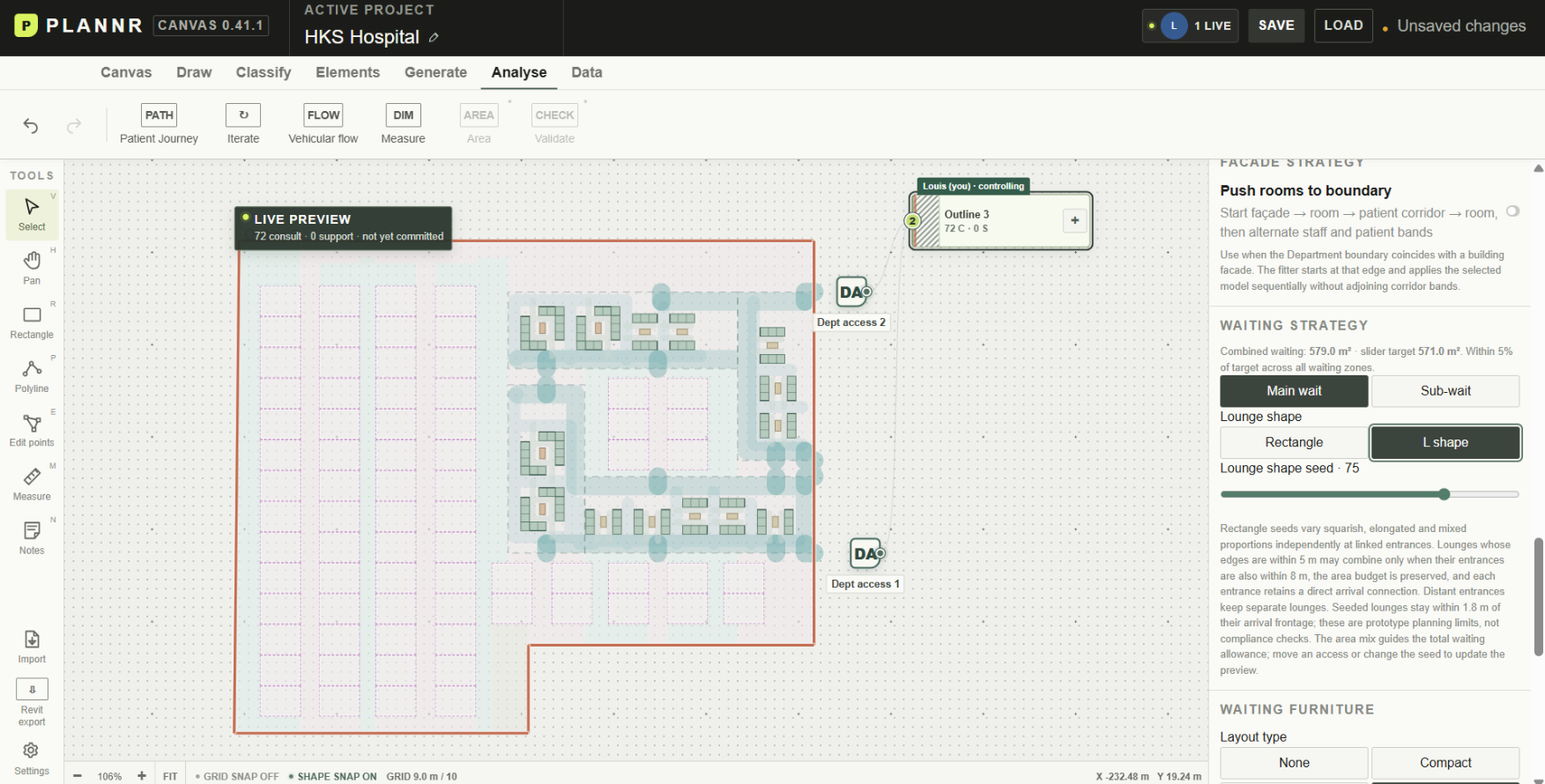
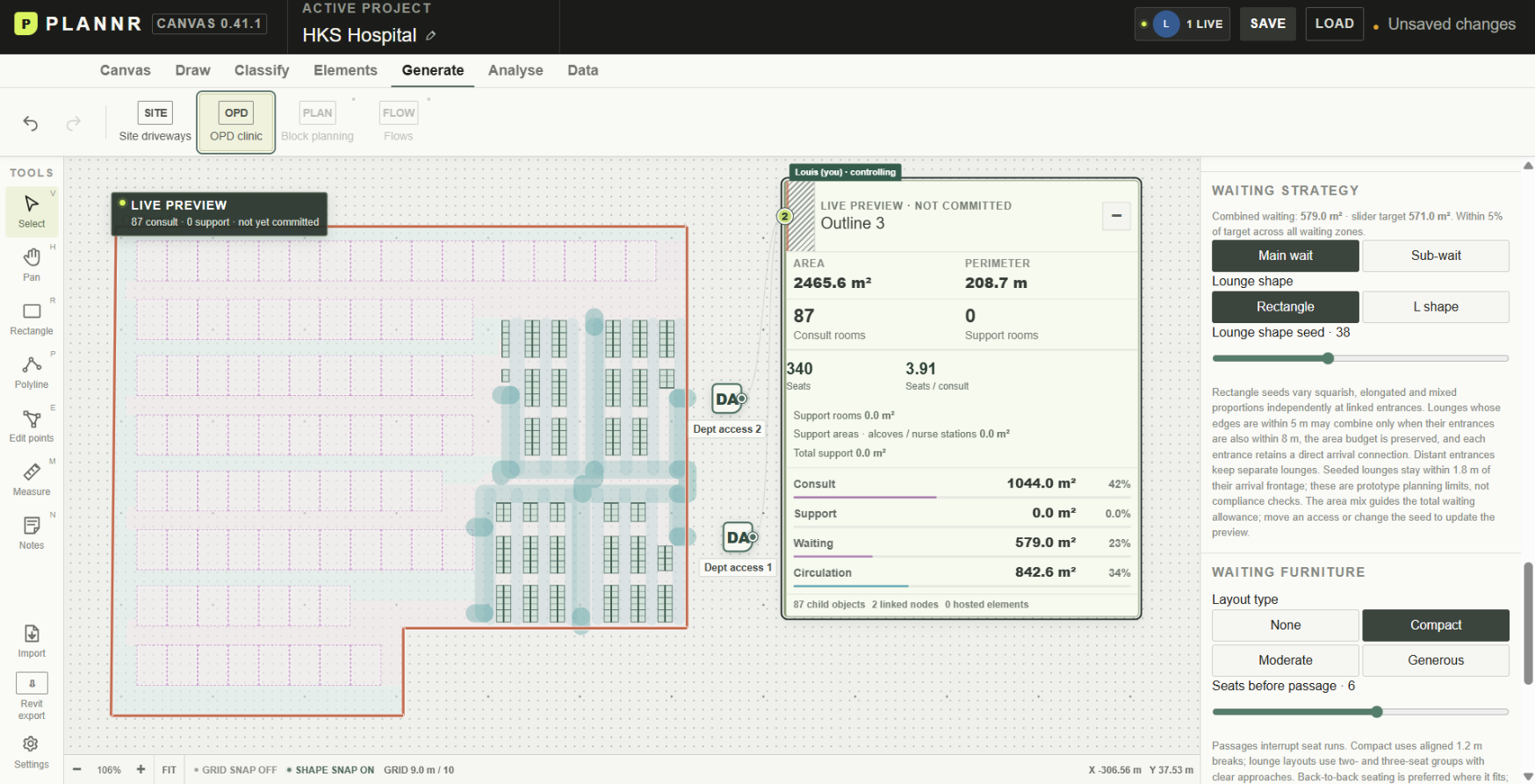
The two screenshots show different studies, not a controlled experiment with shape as the only changing input. The L-shaped study shows 72 consultation rooms; the rectangular study shows 87. Their furniture and other settings also differ, so I wouldn't read that as evidence that rectangles are better. It is a reason to compare the underlying choices more carefully.
That distinction matters. A seed gives us another possibility, not a reason to prefer it. To make a useful comparison, we need to know which assumptions we kept and which we changed. Keeping the waiting-area allowance visible helps: changing the shape should not quietly turn into giving one option much more space.
The same area can support different ways of waiting
Furniture became a separate variable. Compact, moderate and generous layouts represent different ways of using the waiting area, rather than three levels on a scale from bad to good.
Compact uses more regular bench arrangements. Moderate mixes benches with smaller lounge groups. Generous allows looser groupings and tables. Which makes sense depends on the brief and on how we expect the space to be used. A lower seat count may be an acceptable trade for a different kind of waiting environment; a higher count may be important where demand is the immediate concern.
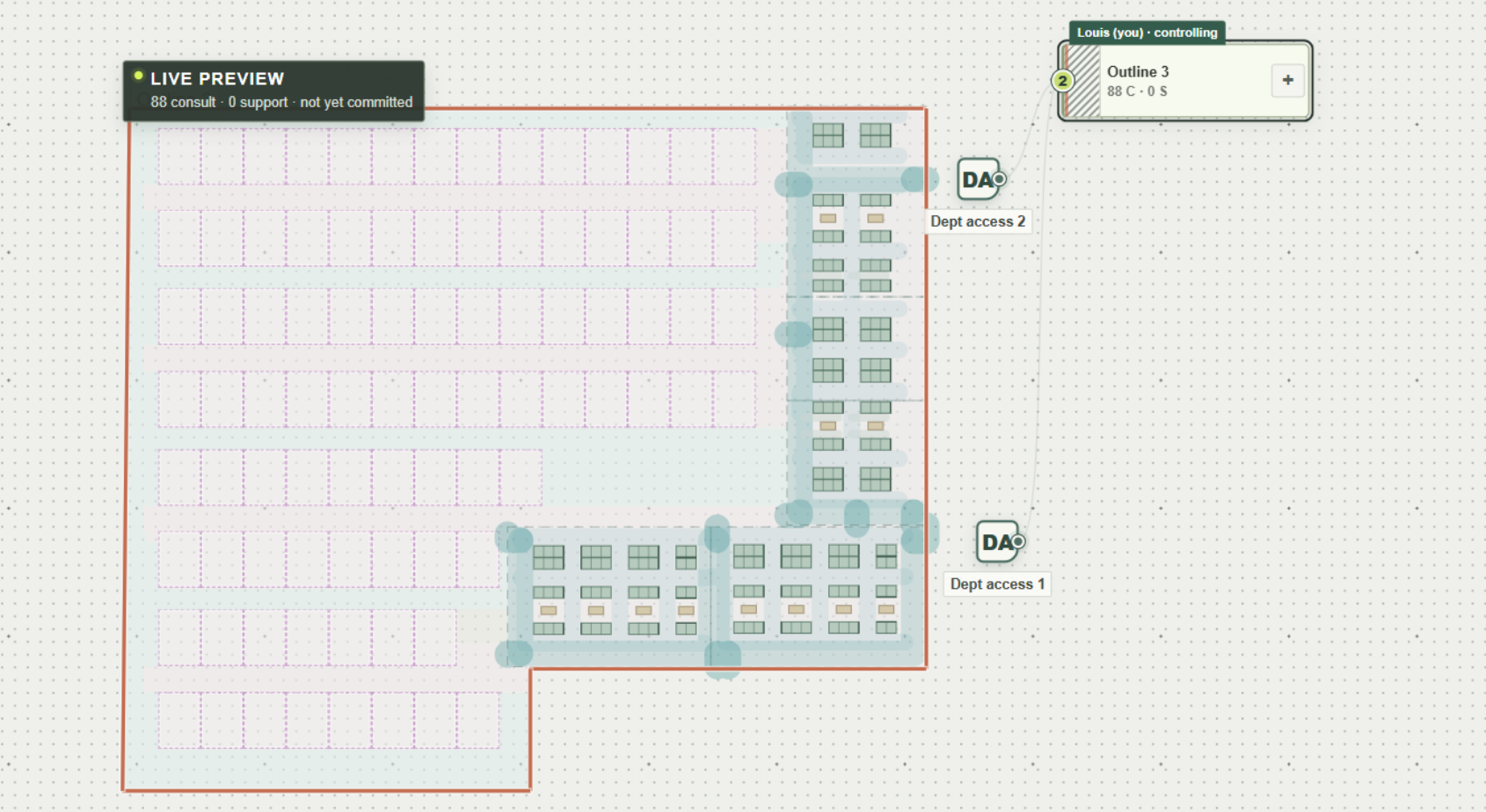
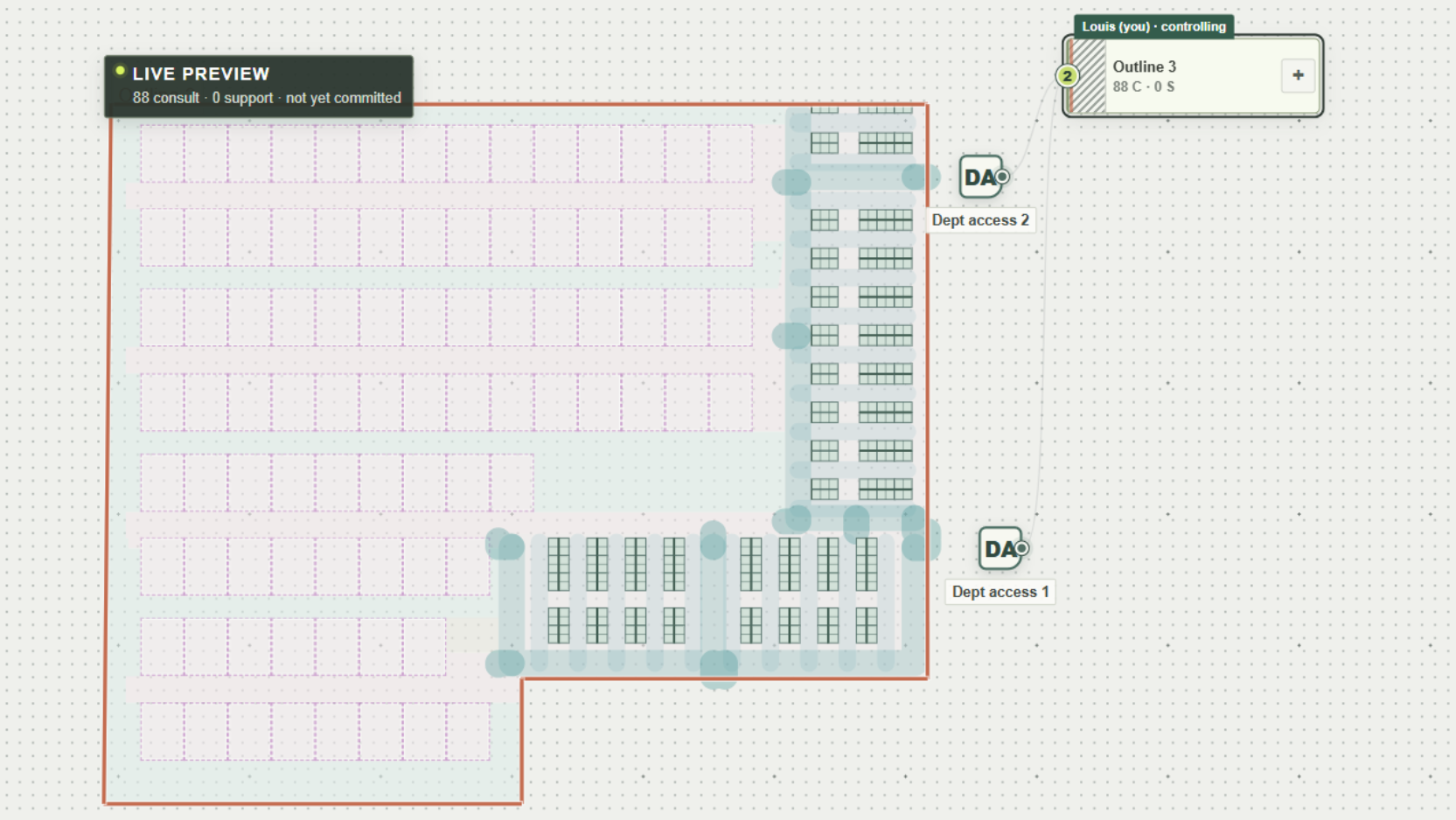
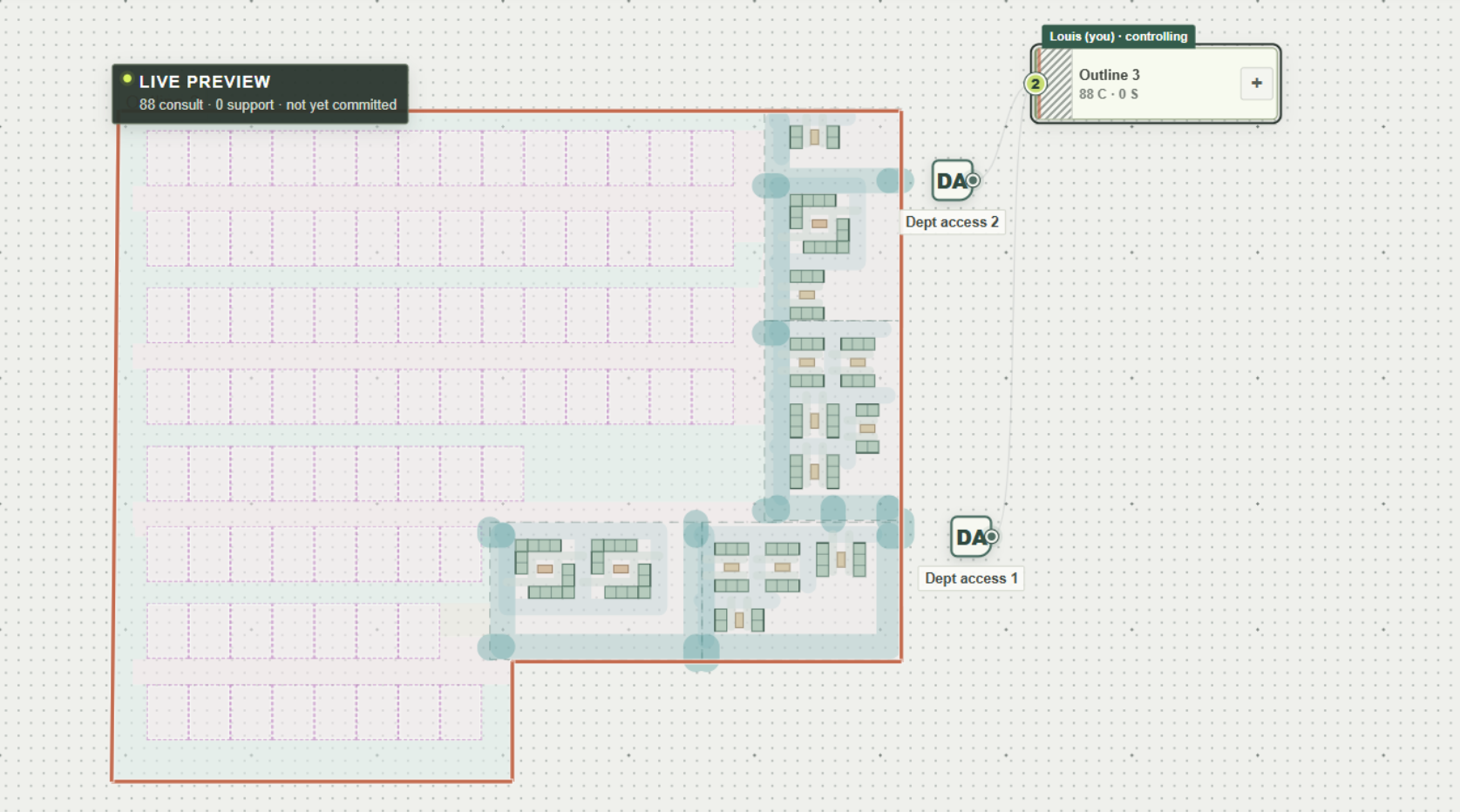
The furniture studies shown here retain an 88-consult-room plan while changing the seating approach. That makes the change easier to read than comparing entirely different departments. We can look at the same waiting area and ask what becomes possible, what capacity is lost, and whether the routes still make sense.
One correction was particularly straightforward: long rows needed breaks. A plan can look neatly packed while making someone walk around the end of a very long run of seats. The passage setting lets us decide how many consecutive seats to allow, and asks the generator to align those breaks across similar rows. We started with six. That is a working assumption we can change, not a universal answer.
Another correction came from layouts that left too much space unused. There is a difference between deliberately allowing room around furniture and failing to arrange it well. Looking at the generated plan alongside the seat count made that failure visible. It also stopped “generous” from becoming an excuse for a layout that had barely been explored.
Count the walk as well as the rooms
Once the shapes and seats became easier to vary, the next question was how people would move through them. A room count doesn't tell us whether the far end of the department is a long walk from arrival, or whether an apparently short connection passes through staff-only space.
Patient Journey adds that layer to the discussion. It places routes over a faint plan so we can see the rooms, waiting areas and furniture behind the numbers. Showing the ten longest available journeys together makes the more demanding parts of a layout easier to spot without inspecting every room one at a time.
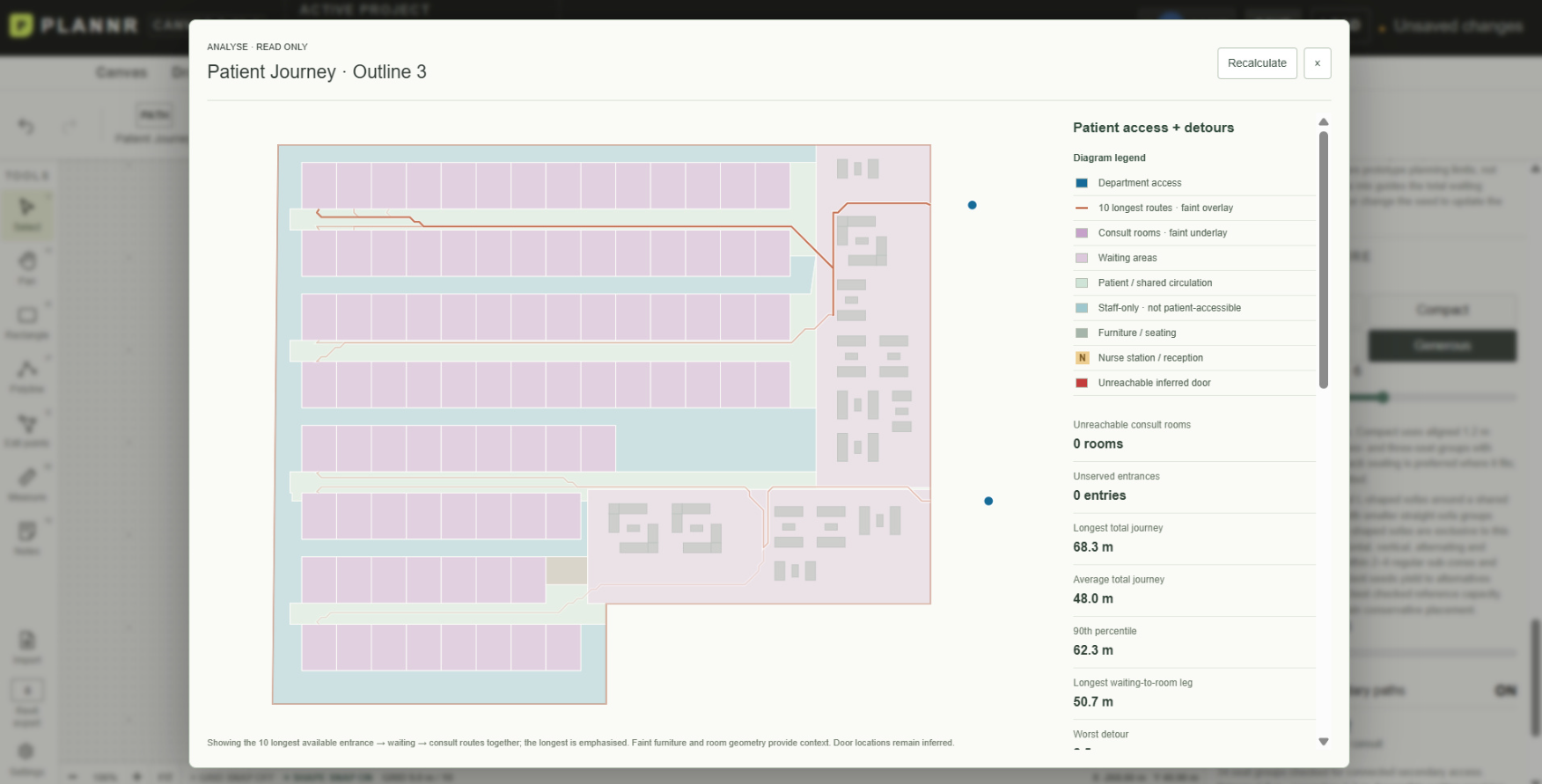
In this captured study, the panel reports an average total journey of 48.0 metres and a longest journey of 68.3 metres, with no unreachable consultation rooms under its model. Those are useful questions to bring to a review: where are the longer trips concentrated, and what would we change to shorten them? They don't establish that the department is accessible or operationally resolved.
The assumptions behind the route matter as much as the result. Are we measuring a direct walk to a consultation room, or a journey that includes checking in and waiting first? Those are different experiences, even within the same plan. Before comparing distances, we need to agree on the journey we are asking the tool to trace. Otherwise, a shorter route may simply mean we have left out part of the patient's visit.
For me, that is part of making the analysis useful. Walkability here is a schematic way of examining distance and connection. It doesn't yet capture everything about moving through a hospital: crowding, assistance, pauses, visibility or the experience of finding your way. The numbers help us notice something worth examining; the plan and its assumptions tell us what the number means.
Put the options beside each other
The iteration tool brings these experiments into one comparison. Instead of remembering a promising seed or keeping a folder of disconnected screenshots, we can review alternatives alongside their room counts, seats and journey measures.
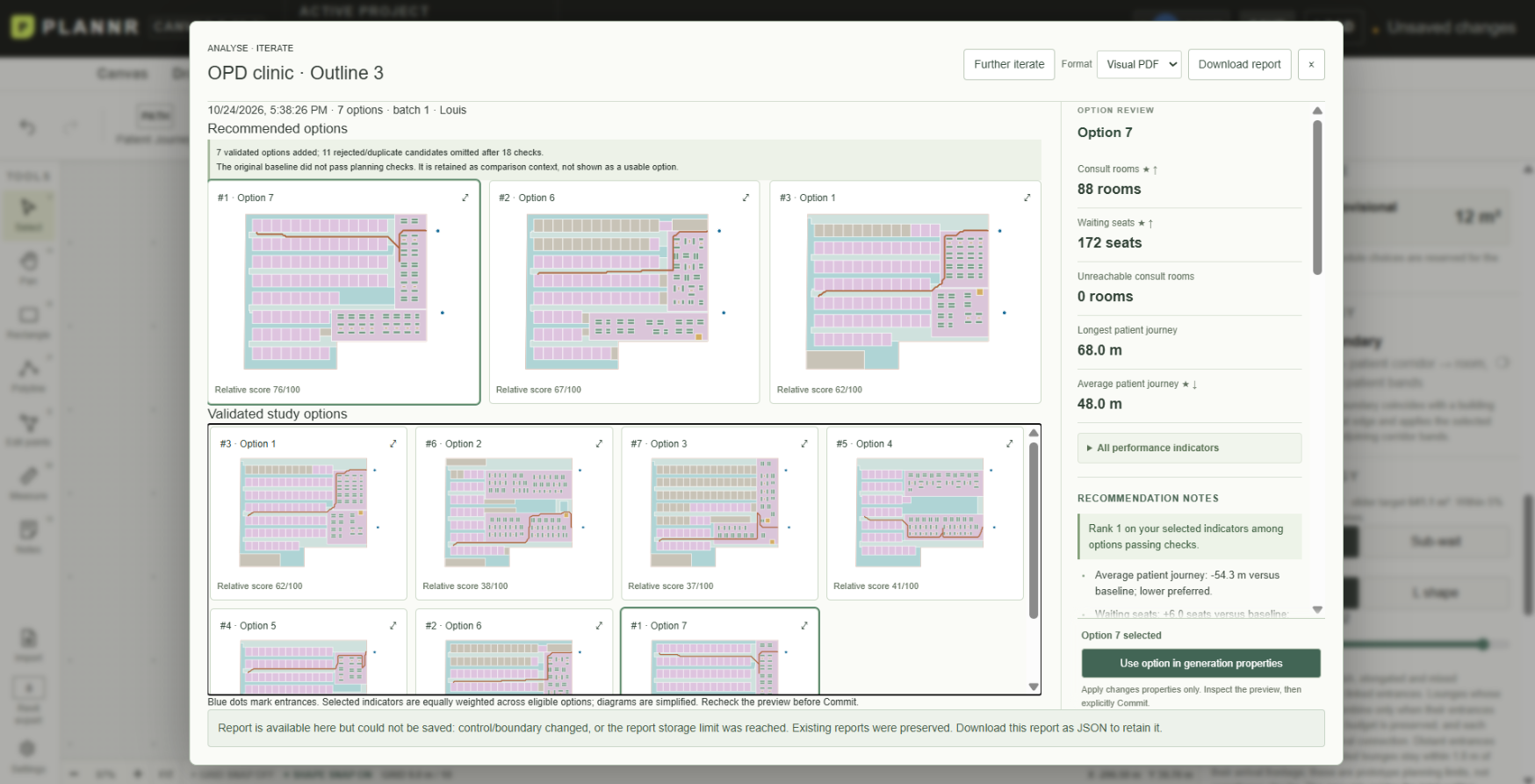
The report ranks options against the selected indicators and shows the plans beside the metrics. In this example, seven options passed the prototype's planning checks; rejected or duplicate candidates were omitted. “Validated” here means passing those checks, not that a layout has been approved for a real hospital. The original baseline is retained as context even though it did not pass.
I don't want the highest score to end the conversation. A relative score depends on what we chose to measure and how we compared it. If we give equal weight to room count, seats and walking distance, we have already made a design decision before the ranking appears. Someone else on the team may have good reasons to question those priorities.
That is where a shared canvas becomes more interesting than a generator used alone. We can point to the same option, change a parameter, inspect a route and discuss the consequence. Computation makes the alternatives and their differences easier to see. People still have to decide which trade-offs are acceptable and which questions have not been represented.
Choosing an option in Iterate returns its settings to the generator for another preview; commitment remains a separate step. I like that pause. It gives us a chance to look again at what the comparison has recommended before turning it into the next piece of work.
This is the direction I want PLANNR to take: an optimization process informed by metrics, with room for people to question the metrics as well as the plan. The useful outcome is a choice we can explain together, including why we preferred it and what still needs testing.